If you run a handful of jobs at a time, you already know the job description. You’re the project manager, the purchasing agent, the scheduler, quality control, marriage counselor and so much more. The usual fix is to hire a project manager to split up the load. Problem is, PMs are expensive, so the office work we meant to do all day gets done at 9 p.m., or not at all.
Builders are trying AI to help but it’s hard to set up and might not work with your software. Thankfully, now there is Builder Vantage, an AI project manager that watches every active job, writes the missing purchase orders, bid requests, and schedule updates, and brings those decisions in for you to approve — so you can take on more jobs without hiring another PM.
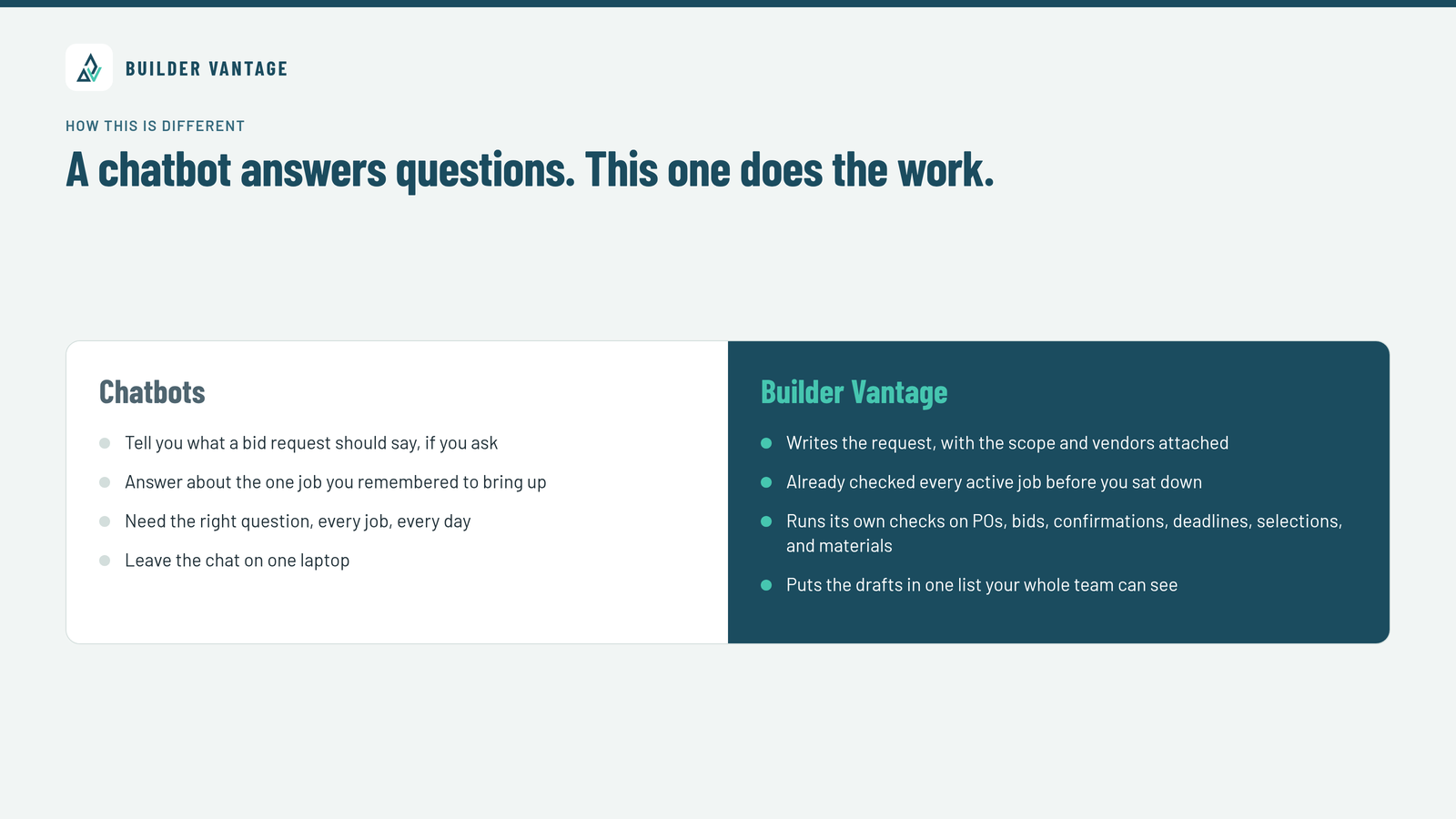
A chatbot answers questions. This one does the work.
Most of us have tried asking a chatbot for help with a bid request or a schedule. It will tell you what a bid request should say, if you ask, or answer about the one job you remembered to bring up. Tomorrow you have to know the right question to ask again.
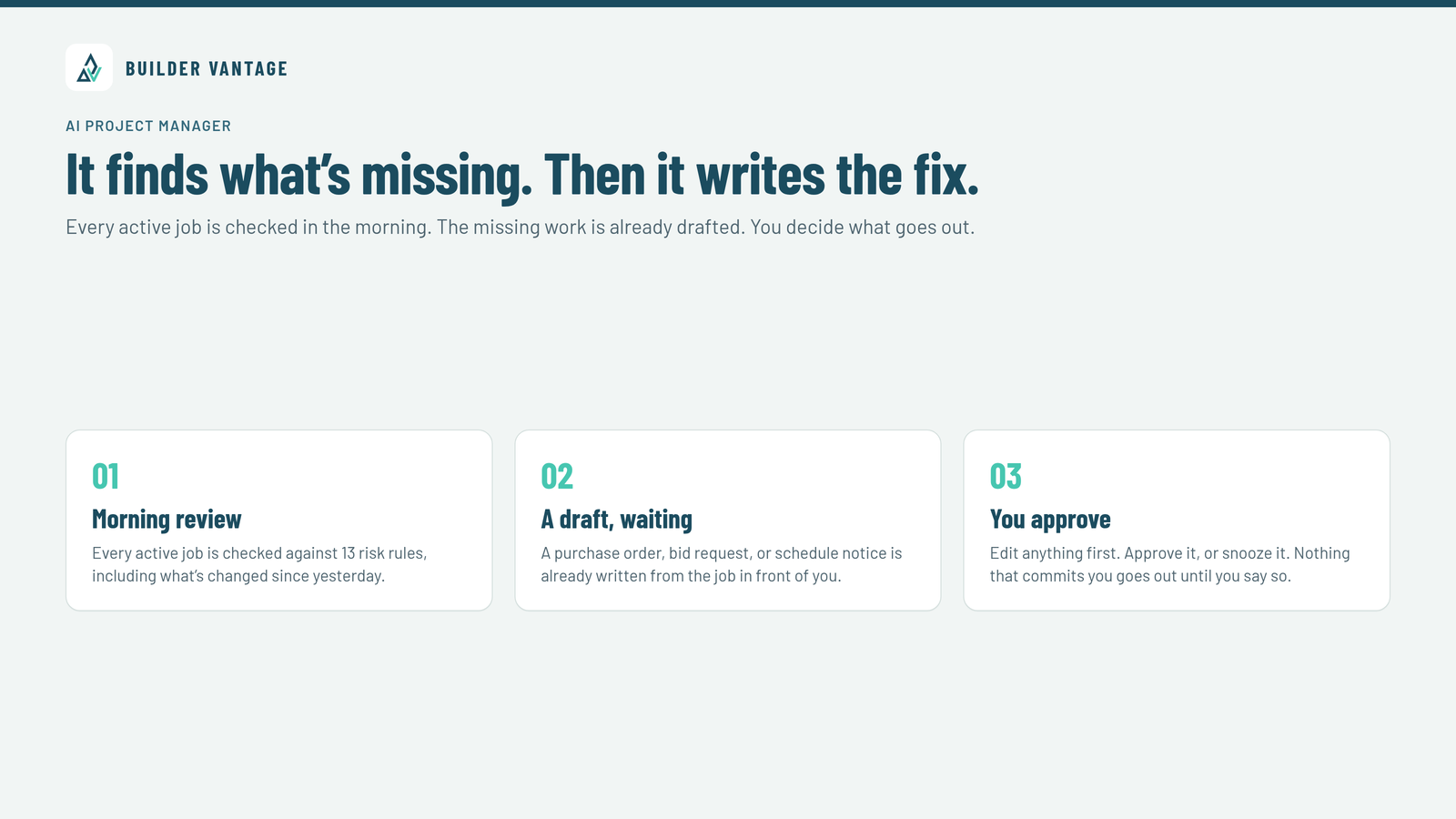
Builder Vantage is an AI project manager sitting on top of a full “traditional” construction management software to run your jobs. You don’t have to prompt it. It comes to you. Every day it looks at what changed on every active job and checks those jobs against 13 risk rules. When something’s off, the fix is already written and waiting in a list your whole team can see.
For a straight look at how this compares with tools builders already know, see Builder Vantage vs. JobTread and Builder Vantage vs. Buildertrend.
What this looks like on a real job
The help shows up in the places that used to eat your evening.
Materials get ordered before the crew shows up. A material nobody ordered in time can stop a whole crew. Builder Vantage spots scheduled work with no purchase order and writes one from the winning bid, ready for you to approve. It also tracks lead times — trusses, windows, cabinets — so you know what has to be ordered, and by when, on every job. Stop Waiting on Materials: Let AI Watch Your Lead Times.
Bid requests go out with the scope attached. A missing bid request turns into a scope gap nobody caught. Builder Vantage writes a bid request for each vendor, attaches the scope and the plans, and reminds vendors before bids are due. Better Bid Requests, Fewer Gaps: What AI Handles for You.
Slips get caught days early, not after the next trade is already booked. When work slips, Builder Vantage watches what depends on what, whether trades have confirmed, and what’s in the daily logs. It shows every date that moves, and it tells the affected trades once you approve. One Slipped Date Shouldn’t Wreck the Whole Schedule.
Client decisions stop sitting past the due date. A client who sits on a selection past its due date can make the material late. Builder Vantage tracks every selection against its due date and sends the client a reminder as soon as you say it’s okay. Clients can sign change orders online, and they can approve priced selections and allowances in their portal. The End of Chasing Clients for Selections.
You can ask about any job and get the answer from live data. “Which jobs are at risk?” “Where are we on the garage doors?” You can ask from your desk or the truck. Walk the job and talk, and Builder Vantage can sort what you said into notes, punch items, and things to approve before you reach the truck.
That’s the office work you already do — checked every morning, on every job, with the draft waiting.
It writes the work. You decide.
You stay in charge. You decide what it can do on its own. Start with everything waiting for your approval, then let go of the routine work when you’re ready.
The loop is simple:
- It reads your jobs. Schedules, budgets, tasks, selections, messages, and daily logs, kept current as the jobs change.
- It does the work. The purchase order, bid request, schedule change, or message, written the way your company does it.
- You approve. Each item goes to whoever owns it on that job: PM, designer, or purchasing. You can edit anything first.
- It acts as you. Once you approve it, it goes out as you, so the history shows who signed off.
Nothing that commits you goes out without your approval. Purchase orders, bid requests, change orders, and client messages all wait for you. The one exception you control is everyday scheduling texts to subs: dates only, no money or promises. You can set those to ask first, or turn them off.
What’s in the platform
The place you run your jobs and the AI project manager are one product. You keep your jobs here, and Builder Vantage keeps watch over them.
That one place covers estimating and selling — budgets, plan takeoff, a cost catalog, templates, and proposals clients can sign online — plus bid requests, side-by-side bid comparisons, purchase orders, and subcontracts. You can run the job with Gantt schedules (including a saved original to compare against), a company-wide look ahead, to-dos, daily logs, notes, and files. Job cost and billing live here too: bills and expenses posted to the budget, client invoices and draws, and budget versus actual. Clients get a portal you control. Vendors get a portal that doesn’t need a login.
Punch lists — with photos, a private link for the sub to sign off, and a two-step checkoff and full client selection management are both included. If you’re on another platform today, the team will help you bring your jobs over.
Who this is for
Builder Vantage is built for contractors running jobs that last weeks or months and coordinating subs and vendors across several jobs at once — usually owners and small teams wearing the PM hat on top of everything else. If you’re adding jobs but can’t justify another full-time PM, that’s who it was built for. If you already have a PM, it does the checking, chasing, and writing, so that person can run more jobs and spend the day on the calls that need a human.
It looks a little different depending on the kind of builder you are. Remodelers tend to run more jobs, with shorter windows and less room for a missed order. More Remodels, Same Team: An AI Playbook for Remodelers. Design-build teams have to keep selections, allowances, and the field moving together. Design-Build Without the Bottlenecks. Custom home builders live with long-lead materials and clients who are in the details for months. Custom Home Builders: Staying Ahead of Long-Lead Items and Client Decisions.
FAQ
What is an AI project manager for contractors? It’s software that watches the jobs you already have, checks them for missing work and upcoming risk, writes the fix, and waits for you to approve it. In Builder Vantage, that includes purchase orders, bid requests, schedule changes, trade confirmations, material lead times, a prep check before a phase starts, and client selection reminders.
Is this just a chatbot? No. A chatbot answers when you ask. Builder Vantage checks every active job before you sit down and brings you a list of things to approve. You can also chat about any job and get answers from live job data, from your phone’s browser or by talking while you walk the site.
Do I still have to approve what it does? Yes. Nothing that commits you goes out without your approval, unless you later turn on everyday scheduling texts (dates only). You can start with everything waiting for you.
Do I need other software to use it? No. Builder Vantage is a complete place to run jobs, budgets, invoices, schedules, portals, and documents.
Is this only for companies that don’t have a project manager? No. If you already have a PM, it does the checking, chasing, and writing so that person can run more jobs.
Can I use it from the job site? Yes! The list of things to approve, and the chat, work in your phone’s browser. You can also walk the job and talk. The Job Walk feature is an absolute life saver.
What if my jobs are a mess right now? That’s a reason to start, not to wait. The first pass shows what’s already slipped: missing POs, unassigned tasks, overdue selections, absent bids, and materials that should already be ordered.
What does it cost? Plans are $399 a month, or $199 a month for the first year, per company, with no per-seat charges. Every plan includes the full platform, the AI project manager, unlimited users, punch lists, selections, and setup with the team. There’s a 30-day money-back guarantee, and you can cancel anytime after that.
A different way to start the morning
Builder Vantage started on our own jobs — delays we should have caught, purchase orders and bid requests slipping through, and tools that made more work instead of less. We still run jobs ourselves. The platform and the AI project manager live together, and the team sets it up with you around how you already run your work.
If you’re still the person who has to remember everything, you don’t need another screen to log into. You need the jobs already checked before you sit down.